A crusty white or blue-green deposit around a car battery terminal is a reason to check the connection—not a reason to start scraping immediately. Battery terminals carry high current, and the battery contains corrosive material. A careful cleanup can be a manageable task when the battery is accessible and undamaged.
This guide covers cleaning the outside of a conventional 12-volt car battery and its cable terminals. Check your owner’s manual first: battery locations and disconnection procedures vary, and some vehicles may need settings restored after the battery is disconnected.
Before you begin
Only work on an accessible 12-volt battery. Do not touch orange high-voltage cables or components on a hybrid or electric vehicle. If the battery is cracked, leaking, swollen, frozen, or difficult to reach, stop and ask a qualified technician to inspect it. If you are unsure which battery or cable is which, use the vehicle manual or get help rather than guessing.
What you will need
- Safety glasses and chemical-resistant gloves
- A battery-terminal brush or small stiff nylon brush
- A wrench that fits the cable clamps
- A small amount of baking soda and water, mixed into a mild solution
- A clean cloth and a separate cloth or sponge for applying the solution
Work outdoors or in a well-ventilated area, with the engine and accessories off and the key or key fob away from the vehicle. Keep flames, cigarettes, and sparks away from the battery. Remove rings, watches, and other metal jewelry. Do not set tools on the battery.
Steps to clean battery terminals
- Read the vehicle instructions. Find the battery-care or battery-disconnection guidance in the owner’s manual. Follow any special procedure it gives, including instructions about stored settings or battery sensors. If the manual says not to disconnect the battery yourself, stop here.
- Check the battery before touching the cables. Look for cracks, bulging, wetness, or damage to the case and cables. Do not clean a damaged or leaking battery. If you see heavy corrosion or cannot clearly identify the positive and negative markings, have a shop inspect it.
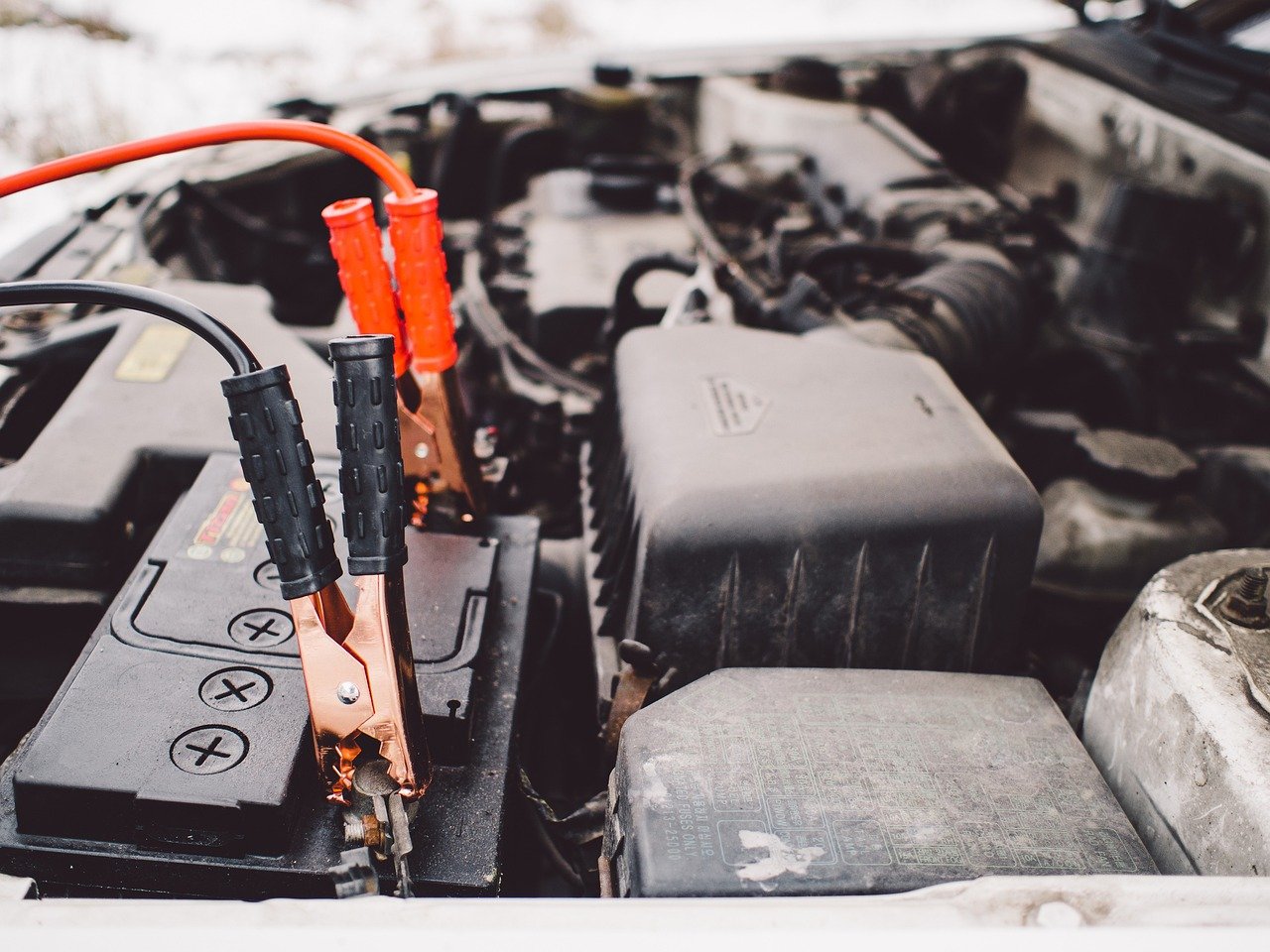
- Identify the terminals. Find the plus (+) and minus (−) markings. Do not rely only on cable color. Make sure the wrench cannot touch a terminal and nearby metal at the same time; that could create a short circuit.
- Disconnect the negative cable first. Loosen the clamp on the negative (−) terminal and lift it away. Position the cable so it cannot spring back into contact with the terminal. If a clamp will not come free with gentle movement, do not pry against the battery case or force it.
- Disconnect the positive cable. Loosen and remove the clamp from the positive (+) terminal. Keep the two disconnected cable ends apart and away from the terminals while you work.
- Apply cleaning solution sparingly. Use a cloth or sponge dampened with the baking-soda-and-water solution on the exterior buildup and cable clamps. Keep liquid out of battery openings and away from nearby electrical parts. Do not pour solution over the battery or try to open a sealed battery.
- Brush away the residue. Use a battery-terminal brush or stiff nylon brush to clean the outside of the terminal posts and the inside contact surfaces of the clamps. Work gently; avoid scattering residue, and do not scrape or damage the cable insulation. If the buildup does not come away with light brushing, or the metal looks badly damaged, stop and have the connection checked.
- Wipe the area clean and dry it. Use a clean, damp cloth to remove loosened residue, keeping moisture away from openings and electrical components. Then dry the terminals, clamps, and surrounding area thoroughly with a separate cloth. Do not reconnect the cables while the connection surfaces are wet.
- Reconnect the positive cable first. Seat the positive clamp fully on the positive terminal and tighten it according to the vehicle manual. It should be secure without being forced. Keep the wrench from contacting body metal while working on the positive terminal.
- Reconnect the negative cable last. Seat and tighten the negative clamp. Check that both clamps are secure and that no tool or cloth has been left in the engine bay. Follow the manual if the vehicle requires a reset or relearning procedure.
- Check the result. Start the vehicle only after everything is reconnected and the area is clear. If it does not start, an electrical warning appears, or a connection becomes hot or gives off a smell, switch the vehicle off and get professional help.
Tips and things to know
Do not use this process to clean a battery that is leaking or to repair a damaged cable. Avoid touching corrosion with bare hands, and do not brush residue toward your face. If battery material contacts your skin or eyes, rinse with plenty of water and seek appropriate medical advice, especially for eye exposure.
Some vehicles have a battery sensor attached to a cable terminal, unusual battery access, or electronics that may be affected by disconnecting power. That is why the owner’s manual matters. If you cannot follow its procedure confidently, a repair shop can handle the cleanup.
After cleaning, keep an eye on the connection. Corrosion that returns, a loose clamp, slow starting, or repeated electrical problems may mean the battery or charging system needs testing. Cleaning removes exterior buildup; it does not establish that the battery is healthy.
With the right precautions, an accessible battery, and the vehicle manual at hand, terminal cleaning can be a straightforward bit of maintenance. If anything looks damaged or the procedure feels uncertain, stopping and getting help is the safer next step.