A message says your package is delayed, your account will be closed, or an invoice needs attention. It may look convincing, but a familiar name or logo doesn’t prove who sent it. Phishing messages try to get people to reveal passwords or financial information, click harmful links, or open risky attachments.
This guide walks you through checking an unexpected email safely. The basic rule is simple: don’t use the message’s links, phone numbers, or reply button to verify its claims. Go to the organization through a route you already trust instead.
Before you start
You don’t need special software to assess a suspicious email. Keep your email account open, but don’t click its links, open its attachments, scan its QR codes, or reply. If you need to check an account, use its official app or type a web address you already know into your browser.
Steps to check the email
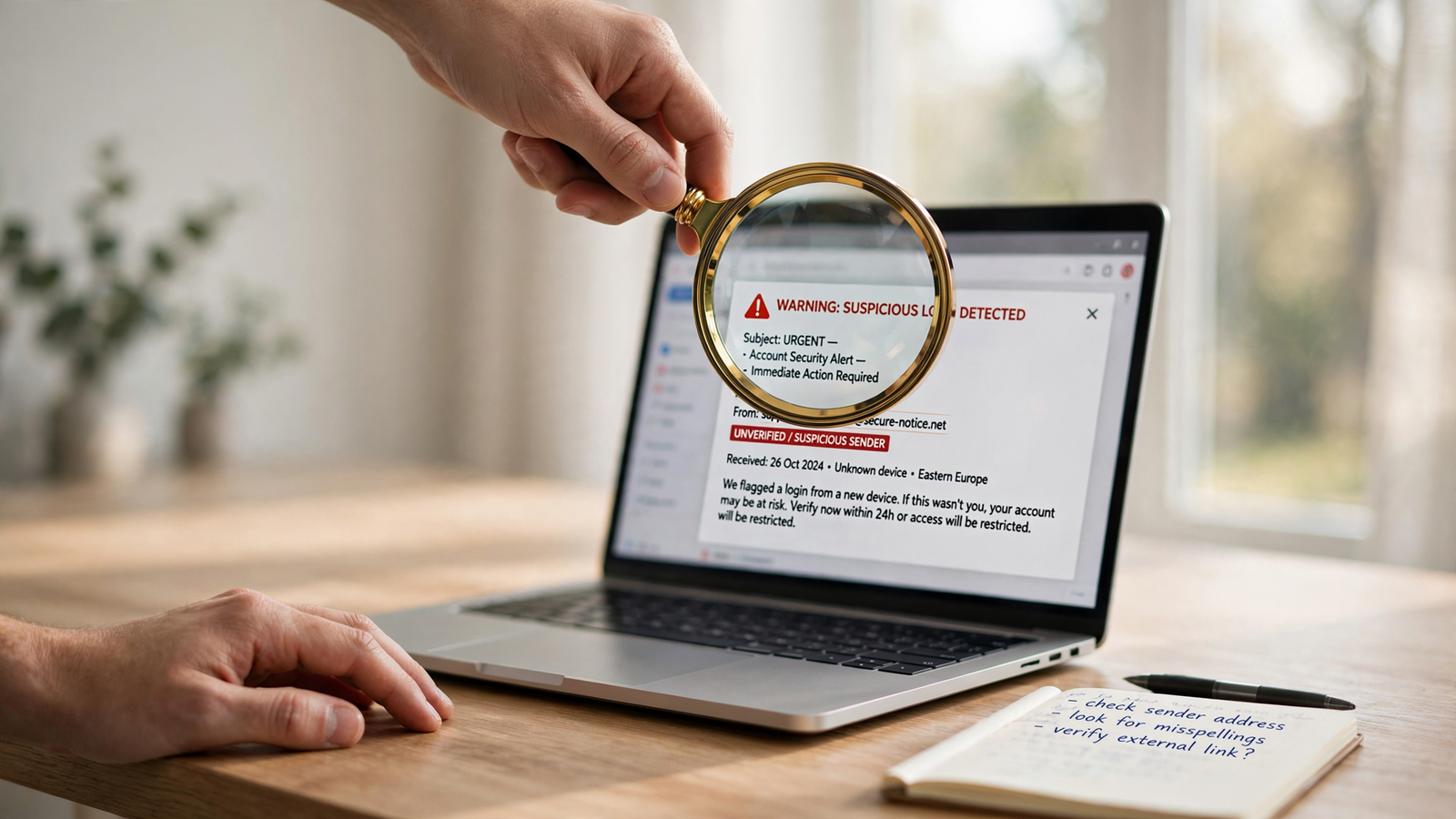
- Pause before responding. Scammers often try to rush people with warnings about account closure, missed payments, unusual activity, or limited-time offers. Urgency is a reason to slow down and check—not a reason to act through the message.
- Ask whether you expected it. Think about whether you have an account, order, appointment, or conversation related to the message. Unexpected news isn’t automatically fraudulent, but a message that asks you to act on something you don’t recognize deserves extra caution.
- Look beyond the sender’s display name. A sender may be labeled “Customer Support” or show a company’s name. Check the full email address, if your mail app displays it, and look for misspellings or an address that doesn’t fit the organization. This can reveal a warning sign, but a plausible-looking address alone does not prove the email is genuine.
- Read the request carefully. Be cautious if the message asks for a password, a verification code, payment by gift card or cryptocurrency, or personal or financial information. Requests to download an unexpected file, enable a feature, or sign in through a link also merit a pause. A polished design or correct personal details don’t settle whether a message is real.
- Check the claim outside the email. Open the organization’s official app or reach its website using a bookmark or address you already trust. For a bank, delivery company, workplace, or government agency, use contact details from a statement, card, official website, or other trusted record—not the email. Ask whether the notice is genuine. Don’t reply to the suspicious message to ask.
- Report it using your email service’s controls. Look for a built-in option such as “Report phishing” or “Report spam.” These options are generally safer than forwarding the message to an address supplied in the email. In Gmail, Google’s instructions explain how to report a message as phishing. If the email concerns a workplace account, follow your employer’s security reporting process as well.
- Delete the message after reporting it. Don’t keep it as a reminder to click later. If you need to document it for your bank, employer, or another organization, ask them how to share it safely.
What if you already clicked?
Clicking a link does not by itself tell you whether your account or device was compromised. What matters is what happened next. Close the page if it looks suspicious, and don’t enter information or download anything else. If you typed a password into a page opened from the email, go to the real service through its official app or a trusted address and change that password. If you reused it elsewhere, change it on those accounts too. Turn on multifactor authentication where available; it adds a sign-in check beyond the password.
If you shared payment details or sent money, contact your bank, card issuer, or payment service promptly using a trusted number or app and explain what happened. If you installed a file or app, or the device is behaving unusually, avoid using it to sign in to sensitive accounts until you can get help from a trusted technical support source. For a suspected U.S. fraud or scam, you can also make a report through the Federal Trade Commission’s ReportFraud site.
Things to know
- There isn’t one perfect giveaway. Grammar mistakes and odd formatting can be clues, but their absence doesn’t prove a message is safe. Treat the whole situation—including the request and whether you expected it—as relevant.
- Don’t rely on hovering over a link. On some computers, hovering may show a destination preview, but this is not a universal or foolproof check, especially on phones. The safer option is to skip the link and visit the service independently.
- Use a known route to verify. Search results, phone numbers inside the message, and “unsubscribe” links in suspicious emails can take you somewhere you didn’t intend. Use an app, bookmark, or contact details you already trust.
- Reporting helps your inbox provider respond. Reporting through the provider’s built-in tool is different from replying to the sender. If you’re uncertain which option to use, check the email service’s official help page.
When an email creates pressure, take a moment to verify its claim somewhere other than the message itself. You don’t have to identify exactly who sent it to make a safer choice: avoid its links and attachments, check through a trusted channel, and report it if it appears to be phishing.