Today, the computer mouse is easy to overlook. It sits beside a keyboard, often wireless and barely noticed, ready to move a pointer, select a file, open a menu, or drag an image across a screen.
But the mouse represents a major change in the history of computing. It helped replace the idea that computers were machines we instructed only through special commands with a more physical relationship: point at something, move it, and click.
That shift began with a simple wooden prototype, a research project about human-computer interaction, and a public demonstration that showed what computers might become.
Before the mouse, computers were largely command-driven
Early computers were powerful but not especially approachable. Users commonly worked with punched cards, switches, paper tape, or typed commands. Even when a computer had a display, interacting with information could require memorizing instructions and entering them precisely.
Typing remains valuable, especially for programming and administration. But researchers in the 1960s were already imagining a different kind of computing—one in which people could work directly with information on a screen, move between documents, and manipulate objects without treating every action as a formal command.
Douglas Engelbart, an engineer and inventor working at the Stanford Research Institute, became one of the most influential voices in that effort. He was interested not simply in making computers faster, but in using them to help people think, organize knowledge, and collaborate.
A wooden box with two wheels
Engelbart’s research group explored several ways to control a pointer on a display. The goal was practical: create a device that could translate hand movement into movement on a screen.
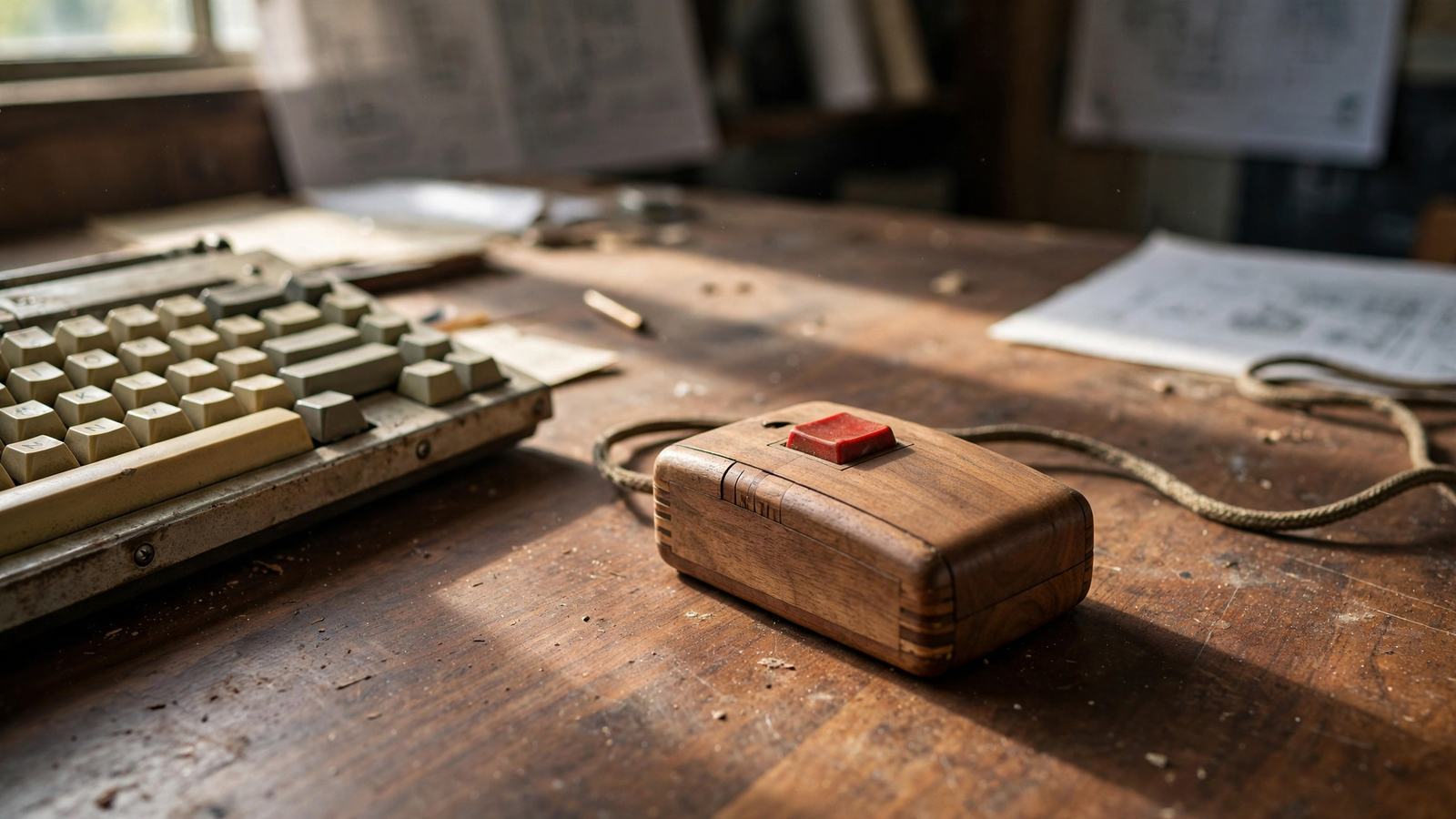
One successful design was a small wooden box containing two wheels mounted at right angles. One wheel detected horizontal movement and the other detected vertical movement. A cable connected the box to the computer. The device was eventually nicknamed the “mouse,” partly because of its shape and partly because of the cord trailing behind it. For related reading, see The Computer Mouse: How a Small Pointer Changed the Way We Use Machines.
The original device was not the polished accessory familiar today. It was a research prototype, and the technology behind it was more important than its appearance. The mouse gave a user a quick way to indicate location on a screen, while the keyboard remained available for entering text and commands.
Engelbart’s team patented the design as an “X-Y position indicator for a display system.” The patent, granted in 1970, described a method for translating the movement of wheels into a position on a display. Engelbart did not become wealthy from the invention; the patent rights were held by SRI, and the patent later expired before the mouse became a mass-market product.
The demonstration that previewed modern computing
On December 9, 1968, Engelbart and his colleagues presented a remarkable public demonstration in San Francisco. The event showed an audience technologies that would later become familiar: windows, hyperlinks, text editing, screen collaboration, document navigation, and a pointing device.
The presentation is often called the “Mother of All Demos.” That nickname reflects how much of the modern computer interface appeared in one session. Engelbart’s system, known as the oN-Line System, or NLS, was not a consumer desktop computer. It was a large, expensive research system supported by a team of specialists.
Still, the demonstration made an important idea visible: computers could be interactive environments rather than calculating machines that simply returned answers. A user could see information, choose where to work, and move through a connected body of knowledge.
The mouse was only one part of that vision. Engelbart’s larger project included ideas related to hypertext, collaborative work, screen sharing, and structured documents. Its influence spread through the people who saw the demonstration and later carried those ideas into other research laboratories and technology companies.
From research laboratory to office desk
The mouse became more practical at Xerox’s Palo Alto Research Center, commonly known as Xerox PARC. PARC researchers developed the Alto, a personal workstation introduced in the 1970s. It used a graphical display, a keyboard, and a mouse as part of a system designed around documents, windows, and visual interaction.
The Alto was not a mass-market success, but it helped establish the pattern that would define personal computing. Instead of presenting a blank command line as the primary point of entry, the system could show a desktop-like environment with documents and tools that users selected visually.
Xerox later incorporated related ideas into the Xerox Star office system. The Star was expensive and aimed at professional workplaces, yet it demonstrated how a mouse could support everyday office tasks such as editing documents, organizing files, and working with graphical objects.
Apple engineers visited Xerox PARC in the late 1970s and studied the work being done there. Apple’s Lisa, released in 1983, brought a graphical interface and mouse to a broader commercial audience. The Macintosh followed in 1984 and helped make the mouse-centered desktop a defining feature of personal computing. For related reading, see Black Mountain College: How a Small School Made Collaboration an American Art Form.
The mouse did not make computers instantly simple. Early graphical systems were expensive, limited, and sometimes confusing. But they gave people a way to learn by recognition rather than memorization. A person could see a file icon, menu, or button and experiment with it.
The ball, the sensor, and the wireless desk
The earliest commercial mice used mechanical systems related to Engelbart’s wheels. A later design placed a rubber-coated ball underneath the mouse. As the ball rolled across a desk, internal rollers measured horizontal and vertical movement.
Ball mice were effective, but they collected dust and debris. The rollers could become dirty or wear out, causing the pointer to move unevenly. Cleaning a mouse became a familiar part of office maintenance.
Optical mice solved much of that problem by replacing the moving ball with a small optical sensor. The sensor repeatedly captures images of the surface beneath the mouse and compares them to calculate direction and speed. Light-emitting diodes became common in consumer optical mice, while some later models used laser illumination.
Modern mice may also include multiple buttons, scroll wheels, adjustable sensitivity, rechargeable batteries, and wireless connections. Gaming models can track movement at high speed and offer programmable controls. Office models often emphasize quiet clicks, comfort, and long battery life.
The basic principle, however, has changed little: the user moves a physical object, and the pointer moves with it.
Why the mouse still matters
Touchscreens and trackpads have made direct tapping and swiping common, especially on phones and laptops. Voice control and accessibility technologies offer other ways to operate a computer. Yet the mouse remains especially useful when a task requires accuracy over a large screen.
Graphic designers use it to select and adjust small objects. Spreadsheet users can highlight ranges, resize columns, and move between cells. Researchers, editors, engineers, and office workers often rely on a mouse for repeated pointing and dragging. In games, a mouse can provide precise control that is difficult to reproduce with a trackpad. For related reading, see The Human Pangenome: How Scientists Are Building a More Complete Map of Our DNA.
The mouse also illustrates an important lesson in technology design: the most influential invention is not always the most complicated one. The device contains sensors, processors, and communication technology, but its central promise is easy to understand. Move your hand here, and something on the screen moves there.
That physical connection gives users a sense of control. It turns an abstract digital environment into something that can be explored through familiar actions—pointing, selecting, dragging, and releasing.
A tool with alternatives
A mouse is not ideal for everyone or every situation. Long periods of use can contribute to discomfort, particularly when the wrist or forearm remains in one position. A properly sized mouse, a relaxed grip, a neutral wrist position, and regular breaks can make computer work more comfortable.
Trackpads, trackballs, vertical mice, styluses, keyboard shortcuts, switch devices, and voice-control systems can all be useful alternatives. For some people, changing input devices during the day reduces strain. For others, accessibility software provides a more effective way to interact with a computer than a conventional mouse.
The continued existence of these alternatives reinforces the original insight behind Engelbart’s work: people should be able to shape computing around the way they think and work, rather than adapting to a single rigid interface.
The small invention that changed the scale of computing
The computer mouse did not invent the graphical interface by itself. It emerged from a larger network of ideas involving display technology, software design, document systems, and research into human-computer interaction.
But the mouse gave those ideas a practical handhold. It helped make a screen feel less like a place where a machine printed answers and more like a space where a person could act.
More than half a century after Engelbart’s wooden prototype, the mouse continues to occupy a small but meaningful place beside millions of keyboards. Its design has become faster, cleaner, and more sophisticated. Its basic message remains the same: computers become easier to understand when people can meet them halfway.
Use: Patent history and technical description of Engelbart’s early pointing device.
Use: History of the computer mouse and its development as an input device.
Use: Background on the December 1968 demonstration and the interactive computing ideas shown there.
Use: Overview of mouse design, mechanical and optical tracking, and its role in personal computing.
Use: Context for the Alto workstation and the transition toward graphical, mouse-based computing.
United States Patent and Trademark Office / Google Patents, “X-Y Position Indicator for a Display System,” U.S. Patent 3,541,541 — https://patents.google.com/patent/US3541541A/en — Patent history and technical description of Engelbart’s early pointing device.
Computer History Museum, “The Mouse” and computer history collections — https://www.computerhistory.org/revolution/input-output/14/350 — History of the computer mouse and its development as an input device.
Douglas Engelbart Institute, “The Mother of All Demos” — https://dougengelbart.org/content/view/209/448/ — Background on the December 1968 demonstration and the interactive computing ideas shown there.
Encyclopaedia Britannica, “Computer Mouse” — https://www.britannica.com/technology/computer-mouse — Overview of mouse design, mechanical and optical tracking, and its role in personal computing.
Computer History Museum, “Xerox Alto” collection and history resources — https://www.computerhistory.org/revolution/personal-computers/17/303 — Context for the Alto workstation and the transition toward graphical, mouse-based computing.